Planner Report Pack

Smarter Insights for Microsoft Planner

microsoft_Marque logo (2)

Turn task data

Into Actionable Insights

Microsoft Planner makes task management easy. But when it comes to reporting across projects, teams, and resources, visibility is limited.

The Planner Report Pack gives you a complete reporting layer, extending Planner with professional-grade insights.

EventBlog Headers (40)

Features

Planner Report Pack

planner reports
Untitled design (42)
Customized Dashboards

Tailor dashboards to suit your specific project management needs, allowing you to focus on the metrics and KPIs that matter most to your organization.

Untitled design (43)-1
Interactive Reports

Dive deeper into your project data with interactive elements such as drill-down capabilities, hover-over tooltips, and clickable filters, enabling a more immersive analysis experience.

Untitled design (44)-1
Untitled design (60)
Export Functionality

Easily export reports and dashboards to various formats such as PDF, Excel, or PowerPoint for sharing with team members, stakeholders, or executives.

Integration with Planner

Seamlessly integrate with Microsoft Planner, pulling in data directly from your projects to provide comprehensive insights without the need for manual data entry.

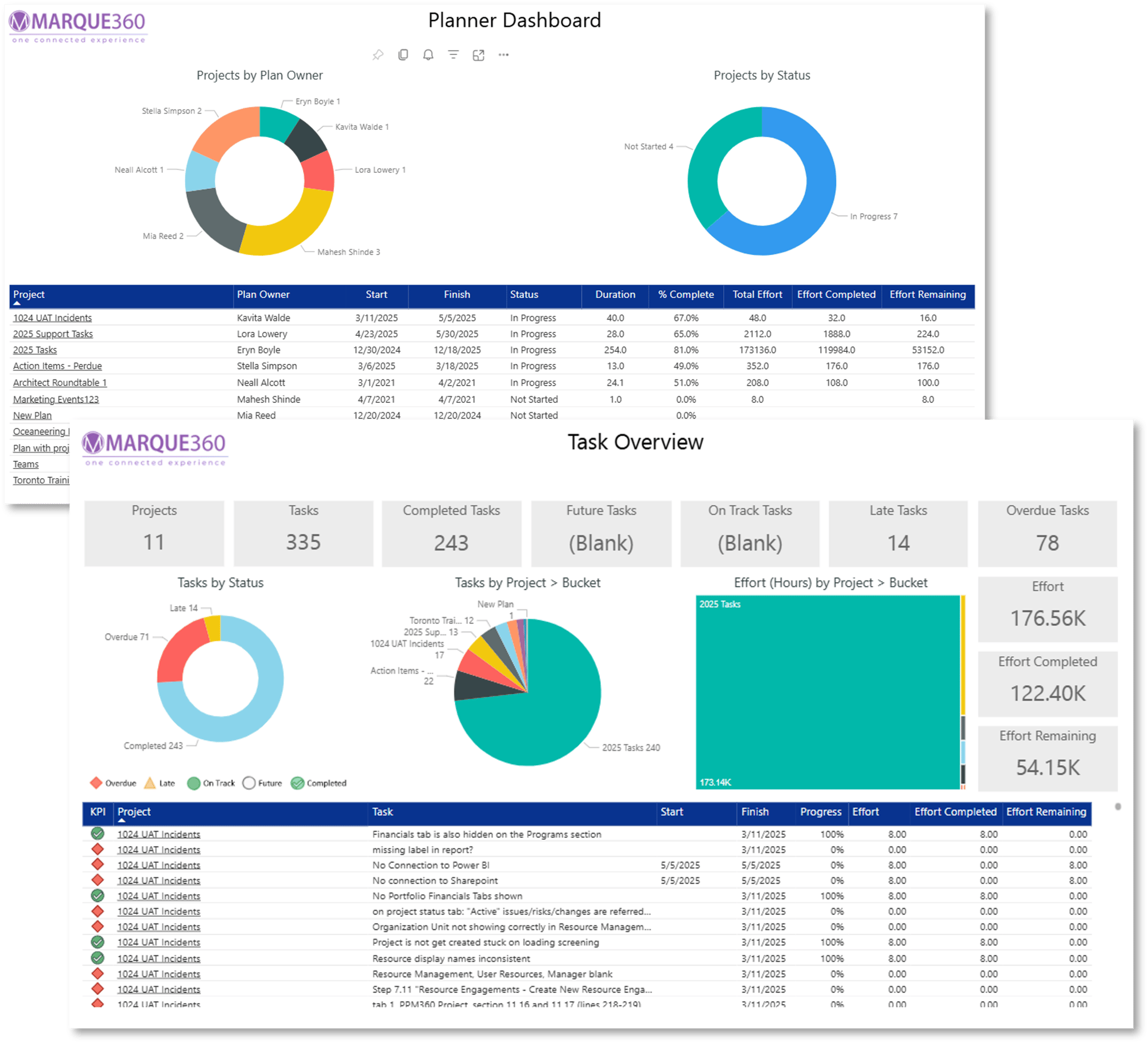
Planner Dashboard

Planner Dashboard

A single view of all Planner activity: tasks, progress, and trends.

Planner Timeline

Planner Timeline

See tasks across dates to identify scheduling bottlenecks.

project timeline

Project Timeline

View progress across projects to align teams with deadlines.

task overview

Task Overview

Drill into assigned, in-progress, and overdue tasks across plans.

resource dashboard

Resource Dashboard

Get visibility into team capacity and workload distribution.

resource assignments

Resource Assignments

See who’s working on what to balance workloads effectively.

Want more info?

Ready to see our Planner Report Pack in action? Schedule a personalized demo today!